
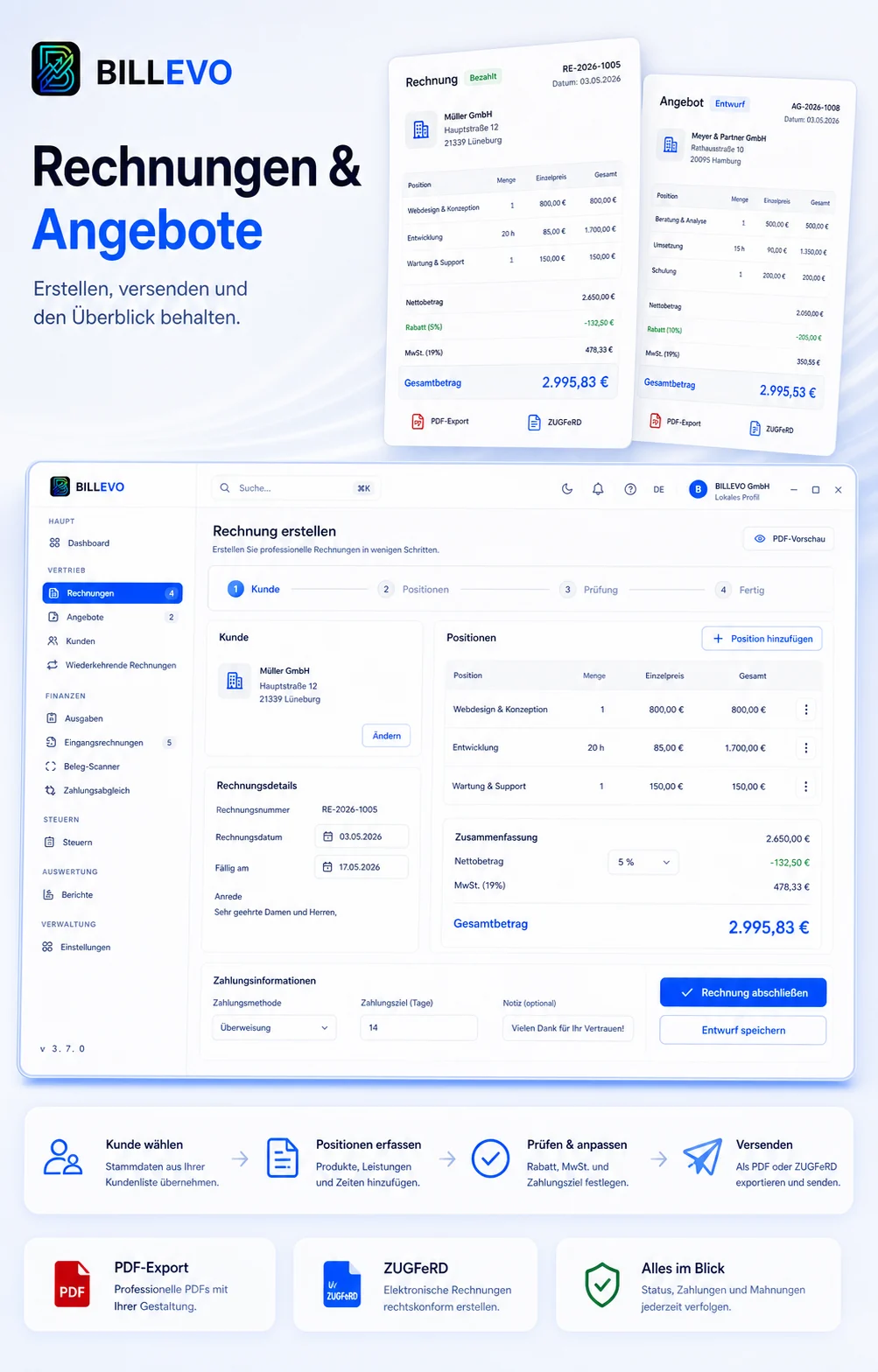
1. Pick customer data
Use master data from the customer area so the address and contact stay consistent.
BILLEVO brings the typical invoicing steps together in a local invoicing program: customer data, line items, totals, payment terms, PDF output and outstanding items.
Instead of copying a template and recalculating amounts manually, you work in a structured flow. BILLEVO calculates totals transparently and generates professional PDFs.
Use master data from the customer area so the address and contact stay consistent.
Enter services, quantities and prices. Subtotals, taxes and total are calculated transparently.
Generate invoices locally as PDF and forward or store them yourself via your own mail program.
Many invoices start as a quote. BILLEVO uses the same master data so you don’t have to enter services twice. Accepted quotes can then serve as the basis for invoices.
BILLEVO helps with invoice creation, receipt management and exports. It does not replace legal or tax advice. Verify mandatory fields and exports before forwarding.